


FREE PDF TOOLS · NO SIGN-UP
Photo: SHVETS production / PexelsMerge, convert and edit PDFs.
Merge PDFs, turn images into documents, and organise your files in your browser.
Explore PDF toolsYour files stay on your device.
 2 PDFs1 PDF
Combine PDF files in your chosen file order into one document.
Use free tool1 PDFSeparate pagesSave each page separately, or split into your own page groups.
Use free toolAll pagesSelected pagesKeep selected pages in one new PDF, in the order you enter.
Use free toolAll pagesKeep the restDelete selected pages while keeping the rest of the document.
Use free tool3 · 1 · 21 · 2 · 3Choose the complete page sequence, including repeated pages if needed.
Use free toolPortrait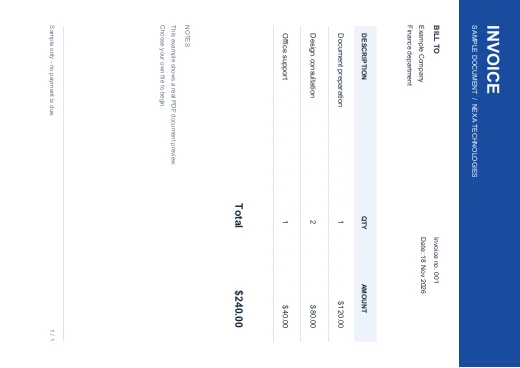 Rotated
Rotate selected pages clockwise by a preset or custom angle.
Use free toolOriginal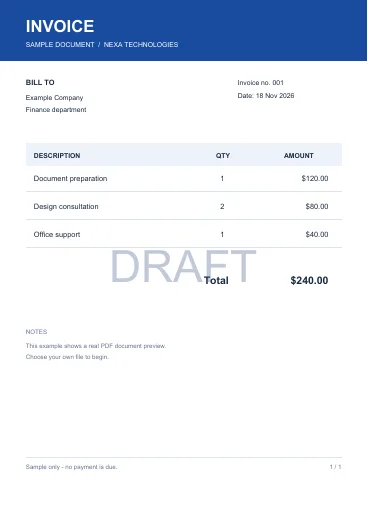 Watermarked
Add large diagonal, centered or repeated text watermarks to selected pages.
Use free toolPages Numbered
Add sequential page numbers at the top or bottom of selected pages.
Use free toolFull page Cropped
Trim the visible page area using precise margins in points.
Use free toolOriginal size New size
Scale selected pages and their contents to a new width and height.
Use free toolDocumentPropertiesUpdate document title, author, subject and keywords.
Use free toolPropertiesClearedRemove the document information dictionary and document XMP metadata.
Use free toolForm fieldsFixed valuesTurn filled interactive form fields into fixed page appearances.
Use free toolEmpty fieldsFilled inDiscover form fields, then fill text, checkboxes and choice fields from JSON.
Use free toolDocument Signed
Place your typed name on one page as a visible signature mark.
Use free toolOriginal Added text
Place a new text note on a page with exact positioning.
Use free tool JPG / PNG
 PDF
Arrange JPG, PNG or WebP images into a downloadable PDF.
Use free toolPDFJPGExport selected PDF pages as JPG images.
Use free toolPDFPNGExport selected PDF pages as crisp PNG images.
Use free tool PDFText
Extract the embedded text from a PDF into a UTF-8 text file.
Use free toolPDFMarkdownExport embedded PDF text with page headings to a Markdown file.
Use free toolPDFSlidesTurn each selected PDF page into a full-slide image in a PPTX file.
Use free toolOriginalOptimisedCreate a smaller image-based PDF with adjustable resolution and JPEG quality.
Use free toolColourGrayscaleConvert every page to a grayscale image-based PDF.
Use free toolTextPDFCreate a paginated PDF from typed text or a UTF-8 TXT file.
Use free toolCSVPDFTurn a CSV table into a paginated, printable PDF.
Use free toolExcelPDFExport a worksheet’s stored cell values into a printable PDF table.
Use free toolOriginalYour editsSelect and edit original PDF text, images and shapes. Change colours, move objects, and export PDF, PNG or JPG.
Use free tool Free · ReadyConvert CSV or pasted data to XLSX while keeping IDs and leading zeros.
Use free tool Free · ReadyChoose a worksheet and export its saved values as CSV.
Use free tool Free · ReadyRemove duplicate rows using all fields or one selected column.
Use free tool Free · ReadyTrim spaces, tidy line breaks and remove empty rows.
Use free tool Free · ReadyCombine tables by matching headings, with an optional source column.
Use free tool Free · ReadyCreate smaller files by row count, keeping headings in every part.
Use free tool Free · ReadySort text or numbers in a chosen column, keeping each row together.
Use free tool Free · ReadyKeep rows by matching text or comparing numbers.
Use free tool Free · ReadySwap rows and columns, including headings.
Use free tool Free · ReadyCompare two tables to find matched and unmatched transactions.
Use free tool Free · ReadyCreate a clear invoice with business details, item rows and calculated totals.
Use free tool Free · ReadyCreate a clear quotation with business details, item rows and calculated totals.
Use free tool Free · ReadyCreate a clear receipt with business details, item rows and calculated totals.
Use free tool Free · ReadyCreate a clear purchase order with business details, item rows and calculated totals.
Use free tool Free · ReadySee gross profit, margin and markup from cost and selling price.
Use free tool Free · ReadyCalculate savings and final price, including successive discounts.
Use free tool Free · ReadyAdd tax or extract it from an inclusive total using your own rate.
Use free tool Free · ReadyFind the units and revenue needed to cover fixed costs.
Use free tool Free · ReadyEstimate monthly payments with a repayment schedule.
Use free tool Free · ReadyGroup expenses by category with signed totals and row counts.
Use free tool PreviewA workspace for matching spreadsheet columns to CRM fields.
Explore workspace PreviewA review layout for turning photographed handwritten tables into editable cells.
Explore workspace PreviewA bilingual workspace with source text and a right-to-left review area.
Explore workspace PreviewA bilingual workspace for comparing Urdu source text with an English draft.
Explore workspace PreviewArrange, remove and review pages in a document workflow.
Explore workspace PreviewPrepare document layout and review a PDF export workflow.
Explore workspace PreviewTurn a spreadsheet story into a presentation outline.
Explore workspace PreviewReview text length, reading targets and document requirements.
Explore workspace PreviewPrepare consistent spacing, line breaks and readable text.
Explore workspace PreviewPlanned inspection of removable watermark layers; scanned or flattened marks need a different workflow.
Explore workspace PreviewReview working hours and project totals.
Explore workspace PreviewSeparate names, codes or values by a delimiter.
Explore workspaceA helpful chatbot should know your business, guide the next step and know when a person should take over.

Explore how a custom CRM, portal or automation could work for your team.
A visitor sends their requirements through your website.
Tell us the outcome. We’ll review the scope, talk through the approach and agree the next step with you.
Meet Nexa TechnologiesNexa brings together free browser tools and custom development services. Use PDF and Office tools today, or work with our team on a website, SaaS product, CRM, chatbot or integration.
Meet Nexa28 PDF tools and 20 Office & Accounts tools are ready: merge, split, rotate, convert images, add watermarks and more. Design, developer and AI workspaces labelled Preview are planned, not working tools yet.
Open free PDF tools20 free tools cover CSV and Excel conversion, duplicate removal, merge, split, clean, sort, filter, transpose, bank transaction matching, expense summaries, invoices, quotations, receipts, purchase orders and five calculators. They run locally; spreadsheets use saved values without executing formulas.
Open Office & AccountsChoose a tool, add your files, arrange the previews, choose the options and run it. Then name and download your result. Processing happens in your browser; keep the tab open until the task finishes.
Try Merge PDFYes. We work on websites, custom SaaS, CRM and office workflows, chatbots, voice agents, APIs and plugins. Send a project request with your goal; scope, cost and timing are agreed separately.
Explore development servicesChoose a tool. Send your issue or idea.